
The front door
An entrance worthy of your venue.
At the door, one person with a tablet finds each guest by name or by table and lets the whole table in at once. If the internet drops, it keeps working.
- Your client sees who's arriving, live, on their phone.
- The kitchen has the special menus for every table.
- The event sheet prints with your brand.
Your dates
From enquiry to booked date, all in one place.
Enquiries from your page reach your dashboard, your inbox and your phone. You send the proposal as a link, your client accepts it and, once the deposit is in, the date is taken: no one on your team can sell it twice. If the deposit expires, the date goes back on sale.

Your client
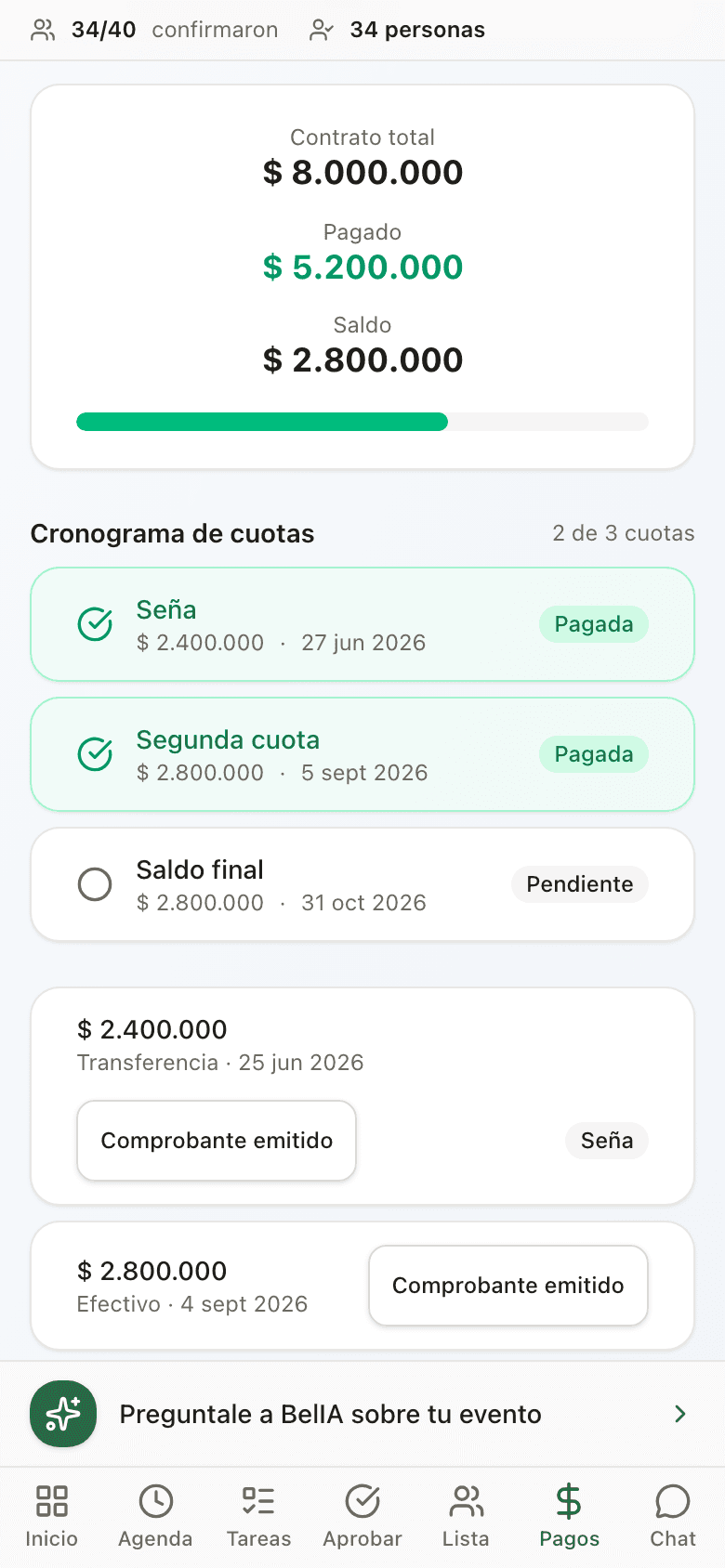
Your client gets their own portal, with your brand.
From a link, nothing to download: they approve the agreement, see their instalments and receipts, build the guest list and seat their guests at the tables. You record every payment, cash included, with its receipt, and they see exactly what you see.
After the party
Your client's feedback and your Google review.
3 days later (or however many you choose), your client gets a feedback request with your brand. If they loved it, they're offered the option to leave you a Google review. And in Metrics you see your year: events, revenue and feedback.
Message her like someone on your team.
She knows your calendar and your events, flags what's pending and does what you ask once you approve it.
 belIA
belIANothing happens without your approval.
Questions before you start
What if the internet goes down mid-party?
The front door keeps going. The door tablet is prepared beforehand, while online, and the list stays saved on it. When the internet comes back, it catches up by itself. If you have two doors, each one records its own arrivals and they merge afterwards.
How long does it take to get started?
Upload the guest list of your next event from a spreadsheet or a photo, and you're ready to welcome guests with the tablet. If you prefer, we set it up with you over WhatsApp.
What happens to the events I've already sold?
You load them as they are, with a deposit or confirmed, and nothing changes for them: instalments, your client's portal and the front door.
Do my clients see the Gevent brand?
No. On the Venue plan, the portal, the invitation and the emails go out with your logo and your colours, and Gevent signs nothing.
How do I pay?
By card, monthly or yearly.
Try it with your next event.
Pick your next event, we set it up with you and you rehearse it with your team before you decide. 30 days free, no card.
Let's talk on WhatsApp
Tell us about your venue and what you need. We carry on over WhatsApp, in your language.
We reply on WhatsApp, in your language · No obligation